
Super Simple Todo App in Chrome's New Tab
On days that I'm productive (if my employer is reading this, I am productive every day), this is how I start my workday.
- All the biological stuff that's unrelated to productivity (well, unrelated in the context of this post)
- Get to my desk
- Review my work for the day on my to-do app
- Do the work
Pretty simple. And when it works, it's highly effective. The only issue is, I cycled through a whole slew of organisation apps, and all of them eventually stopped getting opened by me. I'm lazy. I like not having friction. Many things I do in life directly relate to minimizing friction. Even when you see me doing things that cause friction, I'm usually doing them because that's the path of least .... friction.
Anyway, back to to-do apps. After a while, I ended up on NewTabTodo. This extension was genuinely great because it was so simple. Whenever you open Chrome, you see your to-do list. It didn't need accounts and it just ran off your Chrome install, so it was blazingly fast and didn't have any load time. For a creature of habit like me, regularly being reminded of my tasks for the day made me actually productive.
I just had three columns: Now, Later and Soon.
- Tasks that were urgent and important went into Now
- Anything important but not urgent went into Later
- And things that weren't either, but I wanted to note down went into Soon (and unless someone sent me annoyed emails asking about it) it would get deleted after a while
Every morning, I would review and move things across columns based on how the urgency and importance changed. And since I also open about a million tabs over the day, I would keep reviewing and updating the list based on new information received over the course of the day.
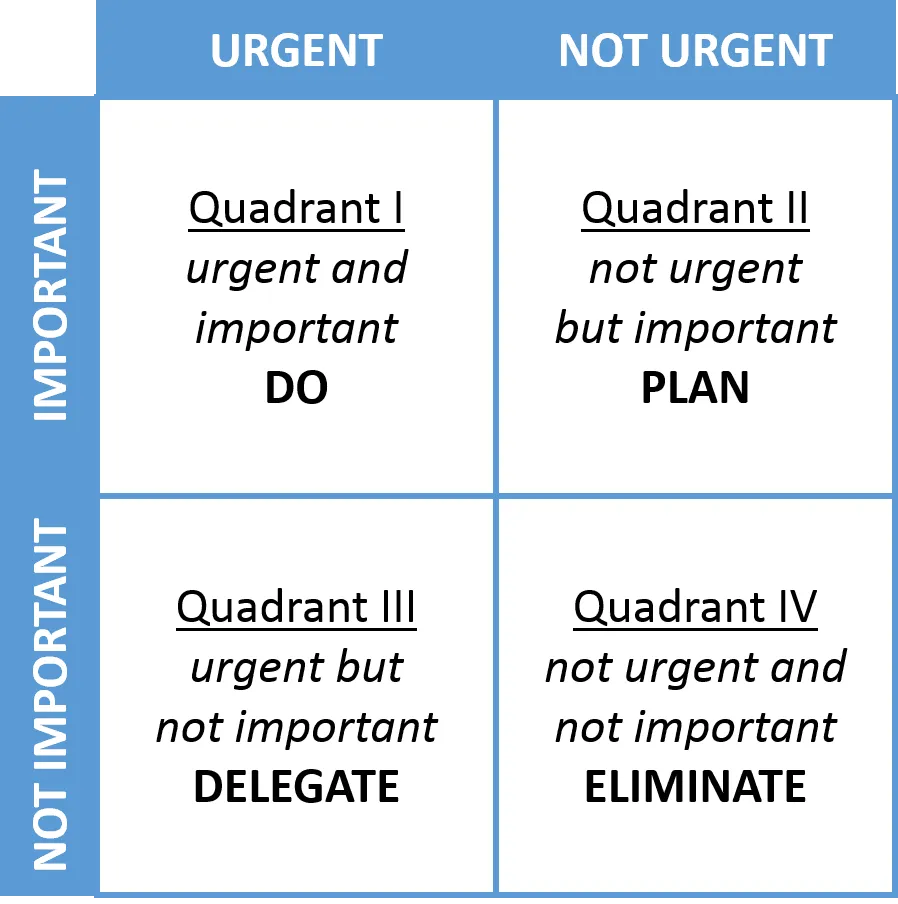 Staying organised 101
 Life was great. Friction was low, productivity was up. Then Google killed manifest v2 and introduced manifest v3, and it broke a lot of extensions. I had to find replacements for my adblocker (switched to uBlock Origin Lite), my image hover zoom tool (switched to Hover Zoom+), and NewTabTodo.
Sadly, NewTabTodo doesn't seem to be receiving any updates, and all the alternatives I tried had some annoying limitation or the other:
- Some needed an account and so had to call home to fetch data, which slowed things down
- Couldn't add multiple columns or boards
- Needed insane permissions
Why settle when AI can one-shot this requirement? I got Claude to build it, and it made a usable version after a couple of prompts. It has a simple manifest, just needs storage and tab permissions to override the home page. Since it uses the storage API to store data, Chrome will take care of the syncing. And it's super fast.
{
  "manifest_version": 3,
  "name": "Chrome Todo Tab",
  "version": "1.0.0",
  "description": "A Chrome extension that modifies the new tab page to
display a todo list",
  "permissions": [
    "storage",
    "activeTab"
  ],
  "chrome_url_overrides": {
    "newtab": "newtab.html"
  },
  "icons": {
    "16": "icons/icon16.png",
    "48": "icons/icon48.png",
    "128": "icons/icon128.png"
  },
  "content_security_policy": {
    "extension_pages": "script-src 'self'; object-src 'self'"
  }
}
You can see the code here.
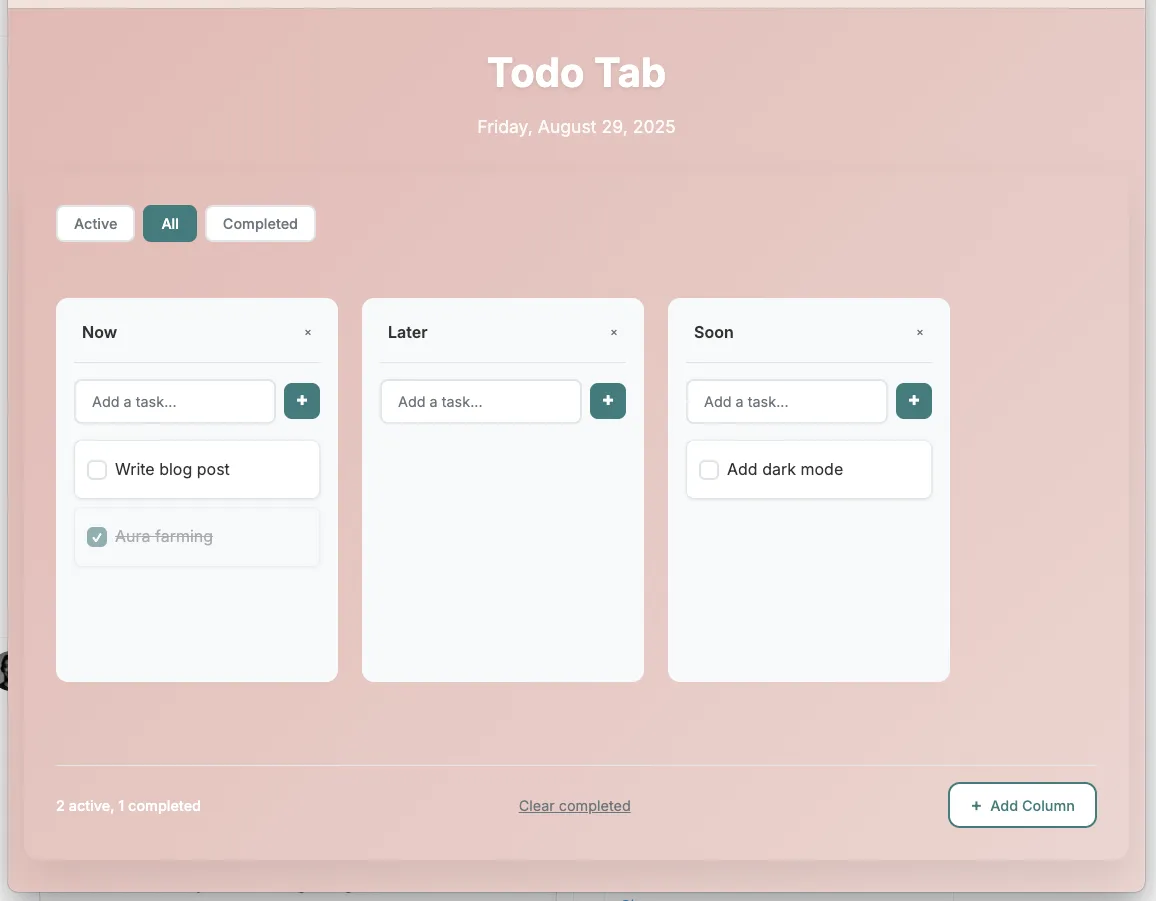 Note that the pleasing salmon and aqua marine color scheme comes forfree
 This scratches the itch in a way that none of the other options could. And if I feel something else is missing, it's trivial to add it. I've found that I've been generating a lot more single-purpose software since LLMs have matured. In the past few months, I've written personal apps for personal finance tracking, coffee brewing, bookmarking, D&D and now this. The age of AI is the age of personal software.